1. Resources
  2. /
  3. Blog
  4. /
  5. Message Themes for Slack Notifications

Message Themes for Slack Notifications

Updated 18 second read

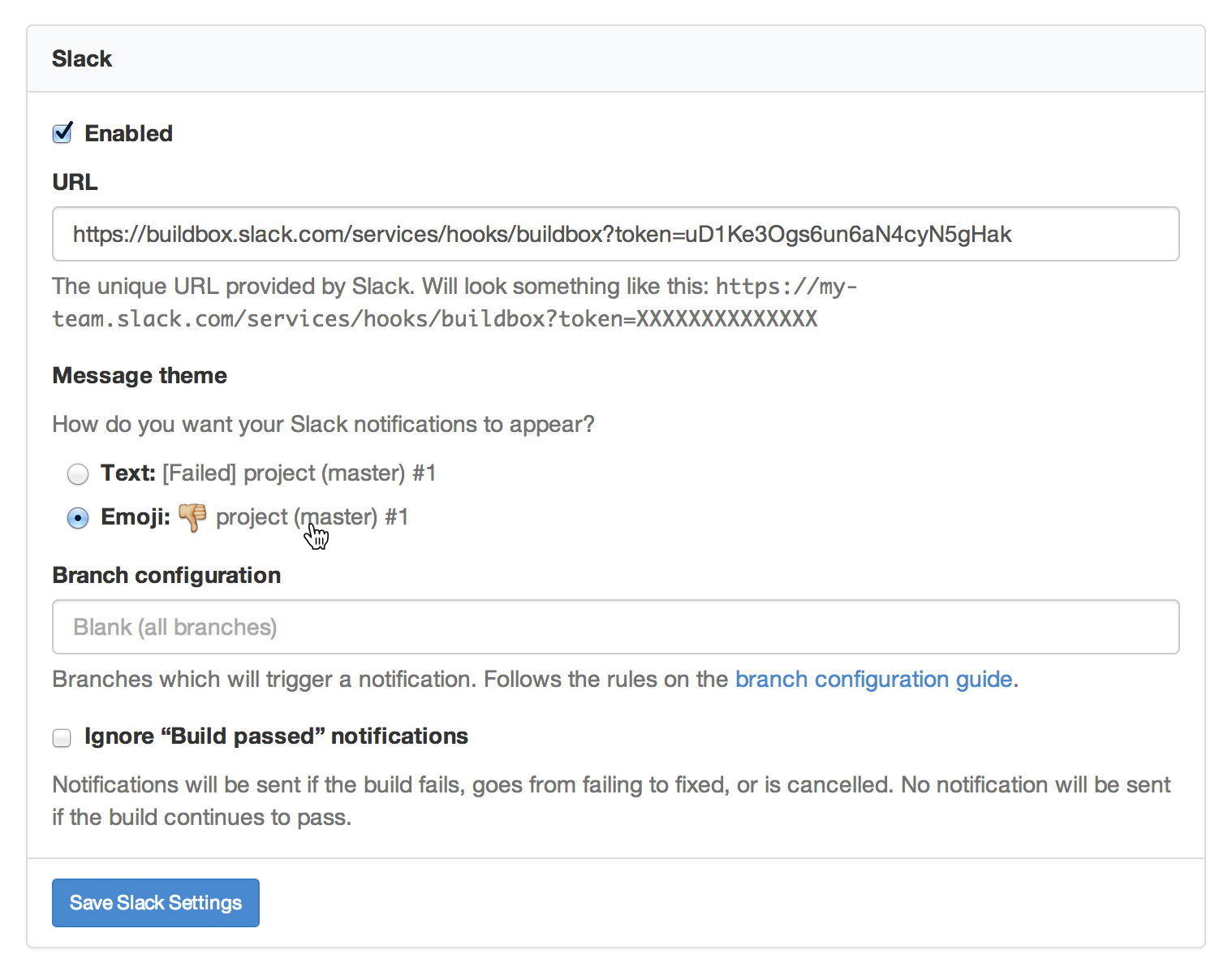
You can now choose a Slack message theme with a little more ✨ 🐧 ✨ with the new Message theme option in your Slack notification settings (Account Settings β†’ Notifications β†’ Slack).

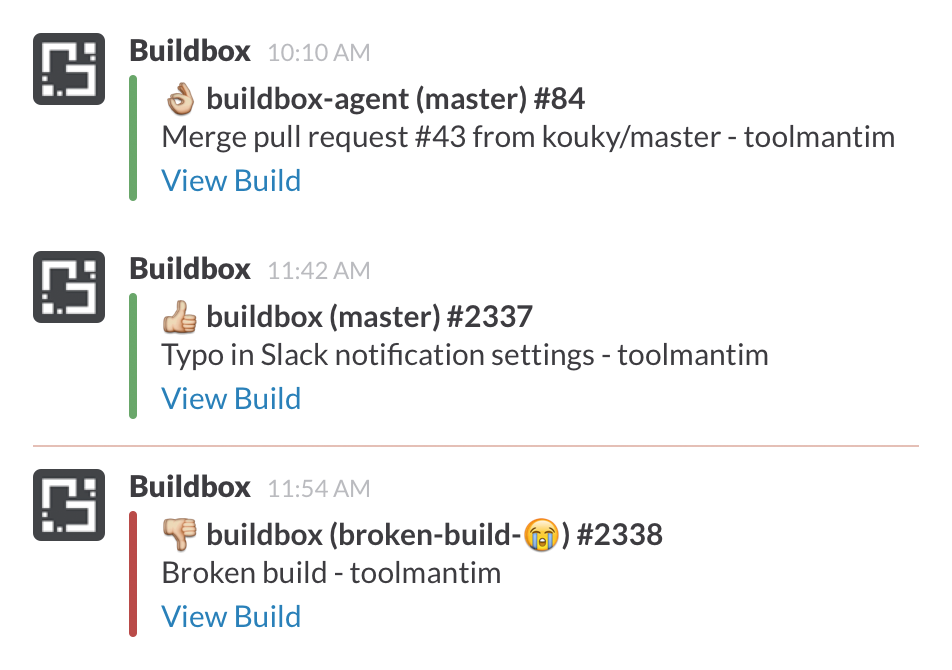
Switching to the new Emoji theme will make your Slack notifications show πŸ‘ if your build passed, πŸ‘Œ if it’s fixed, πŸ‘Ž if it fails, πŸ‘ŽπŸ‘Ž if it’s still failing, or βœ‹ if it’s canceled.

Try Buildkite for free

Create an account and run your first pipeline in minutes.

Get started

Related posts

You deserve better CI.

Get started for free with a full month of our all-access trial.

Buildkite Pipelines

Platform

  1. Pipelines
  2. Public pipelines
  3. Test Engine
  4. Package Registries
  5. Pricing

Hosting options

  1. Self-hosted agents
  2. Mac hosted agents
  3. Linux hosted agents
  4. Windows hosted agents

Resources

  1. Docs
  2. Blog
  3. Changelog
  4. Example pipelines
  5. Plugins
  6. Webinars
  7. Case studies
  8. Events
  9. Migration Services

Company

  1. About
  2. Careers
  3. Press
  4. Security
  5. Brand assets
  6. Contact

Solutions

  1. Replace Jenkins
  2. Workflows for MLOps
  3. Testing at scale
  4. Monorepo mojo
  5. Bazel orchestration

Compare

  1. All comparisons
  2. Buildkite vs GitHub Actions
  3. Buildkite vs Jenkins
  4. Buildkite vs CircleCI
  5. Buildkite vs Harness
  6. Buildkite vs CloudBees
  7. Buildkite vs Blacksmith
  8. Buildkite vs Depot
  9. Buildkite vs Dagger

Legal

  1. Terms of Service
  2. Acceptable Use Policy
  3. Privacy Policy
  4. Subprocessors
  5. Service Level Agreement
  6. Supplier Code of Conduct
  7. Modern Slavery Statement

Support

  1. System status
  2. Forum
© Buildkite Pty Ltd 2026